

Modify WooCommerce XML Feed Without Coding
WooCommerce exports XML feeds for marketplaces, affiliates, and integrations — but modifying them is not straightforward. Even simple changes like renaming nodes or adjusting prices usually require coding or plugins. The problem Most WooCommerce users: Don’t want to write PHP Don’t understand XML structure Need quick edits without breaking feeds
Modify WooCommerce XMLThe solution
Instead of editing code, you can:
- Upload your XML feed
- Apply visual rules
- Modify structure safely
What you can change
- Prices
- Titles
- Product names
- Attributes
- Node structure
Step-by-step
- Export your WooCommerce XML feed
- Upload it into an XML editor (like nodexml)
- Select the node you want to modify
- Apply a rule (rename, replace, multiply, etc.)
- Export the updated XML
Add an XML file or a url of XML.
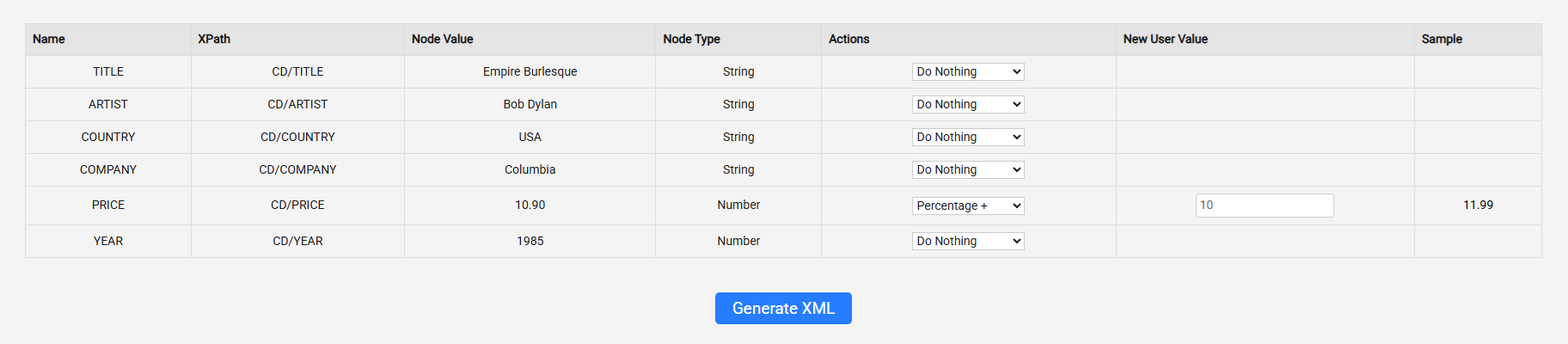
Find the price, and add an action (10% percenatage up!).
You get sample, example of what the outcome will look like (the sample is only visible for the first node)
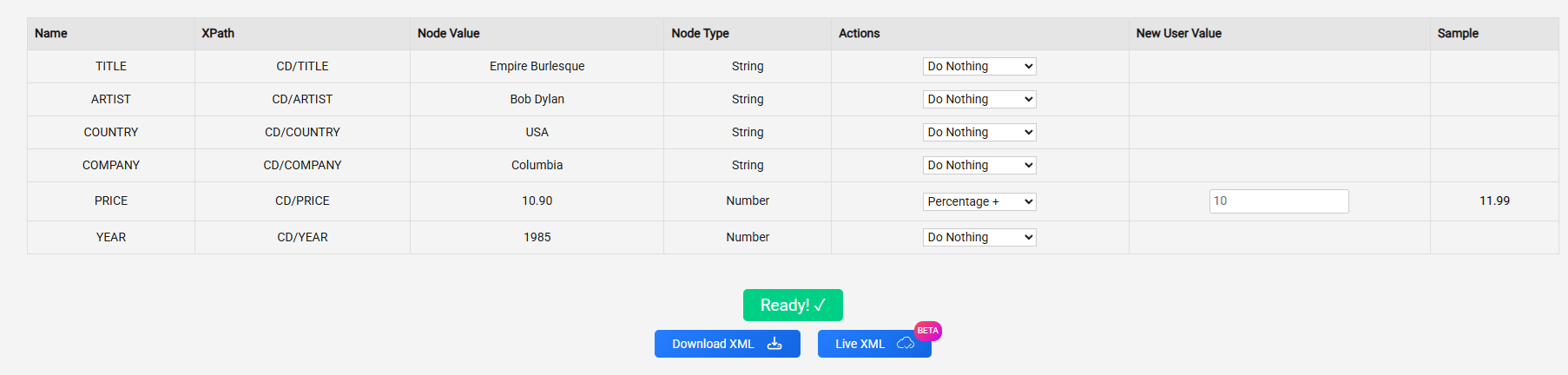
You can either download the update xml or take the new url by clicking the “live xml” button
FAQ
Can I edit XML without coding?
Yes. You can use visual tools (like NodeXML) to select nodes and apply rules without writing any code.
How do I bulk update XML values?
Select the target node (e.g. <price>), then apply a rule (multiply, replace, etc.) to all matching elements at once.
Can I modify WooCommerce feeds safely?
Yes — as long as you keep the XML structure valid. Using a rule-based editor helps avoid breaking the feed.