
Bulk Multiply Prices in an XML File (Increase or Decrease Automatically)
Need to increase all product prices by 10%? Or apply a discount across your entire XML feed? Doing this manually is unrealistic — especially if your file contains hundreds or thousands of products. The problem Bulk price changes usually require: Writing scripts Using Excel exports Re-importing feeds (risky) Most users just want a simple way to multiply values. The no-code solution With a rule-based XML editor, you can: Select all price nodes Multiply values instantly Apply changes across the entire file No coding. No scripts.
Bulk XML price updateStep-by-step
- Upload your XML file
- Find your price node
- Choose “multiply value” rule
- Enter multiplier (e.g. 1.1 for +10%)
- Apply to all nodes
Add an XML file or a url of XML.
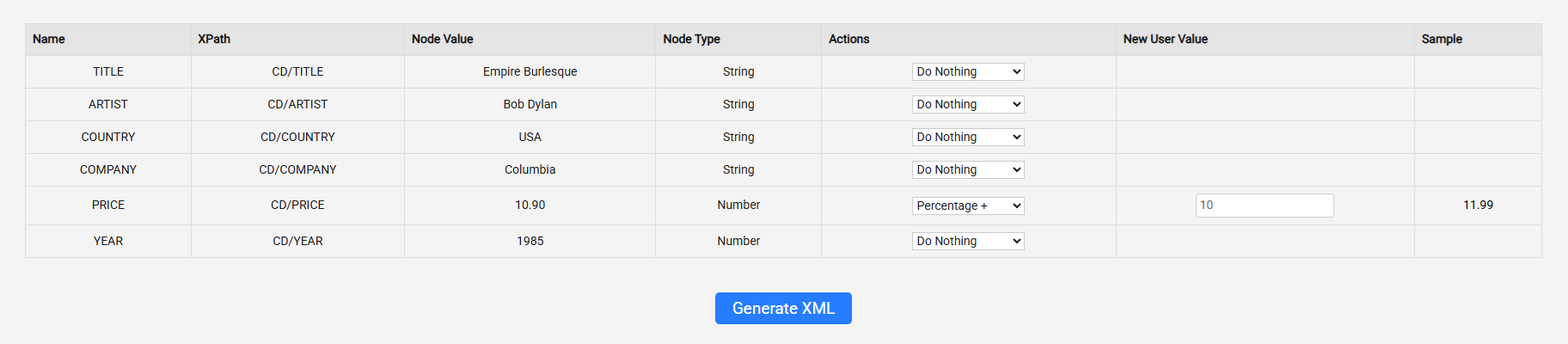
Find the price, and add an action (10% percenatage up!).
You get sample, example of what the outcome will look like (the sample is only visible for the first node)
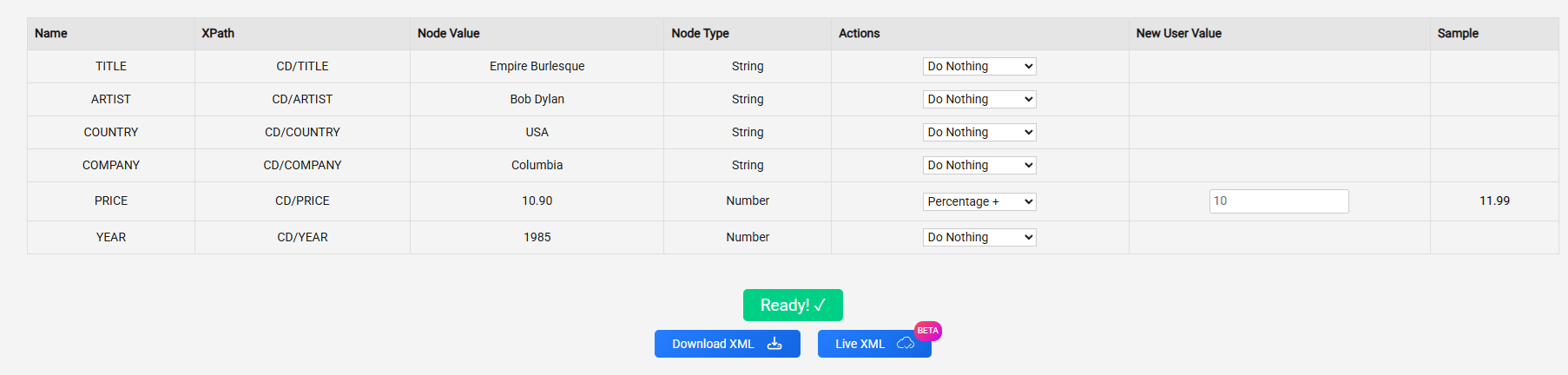
You can either download the update xml or take the new url by clicking the “live xml” button
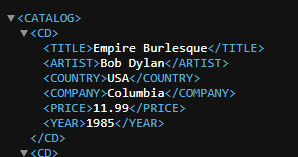
Remember before you leave:
Can I increase all prices in an XML file at once?
Yes. You can apply a multiplier (e.g. 1.1 for +10%) to all price nodes and update everything instantly.
How do I decrease prices across an entire XML feed?
Use a multiplier below 1 (e.g. 0.9 for -10%) and apply it to all relevant nodes in one action.
Do I need Excel or scripts to bulk change prices?
No. A rule-based XML editor lets you multiply values directly without exporting or coding.
Will multiplying prices break my XML file?
No, as long as you only change values and keep the structure intact. Rule-based tools handle this safely.